Microsoft Office 2024 Lifetime Key: Professional Plus for Windows or Standard for Mac, One Device (Up to 88% Off)
What Customers Loved
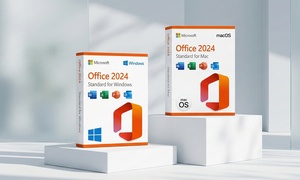
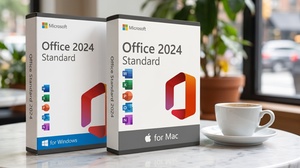
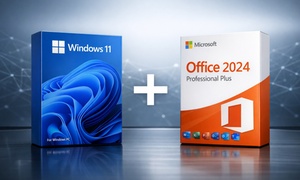
Microsoft Office 2024 as a one-time purchase, Professional Plus for one Windows device or Standard for one Mac, with lifetime activation and no subscription
- Official PartnerListed on Microsoft's Marketplace
- One-Time PurchaseNo subscription ever
- Lifetime ActivationTied to one device
- Instant DeliveryDigital product key
Microsoft Office 2024 comes with a lifetime key and is a one-time purchase with instant digital delivery and no subscription ever. Choose Office Professional Plus for Windows or Standard for Mac, pay once, and own Office 2024 with Microsoft security updates through October 9, 2029. This product is sold by a seller listed on Microsoft's official Marketplace. You can verify this on the Microsoft Partnership Portal.
This is NOT Microsoft 365. This is a one-time purchase — you own Office 2024 forever, with no subscription or recurring charges. Microsoft 365 is an annual cloud subscription, whereas Office 2024 is a perpetual desktop product key.
Choose Your Edition
Office Professional Plus (Windows)

Includes every app in the lineup: Word, Excel, PowerPoint, Outlook, OneNote and Access (Access on Windows only).
Windows 10 or 11 (64-bit)
4 GB RAM minimum
4 GB available disk space
Internet connection for activation
Office Standard (Mac)

Delivers the core productivity suite fully optimized for macOS Ventura, Sonoma, and Sequoia with native Apple Silicon support (M1, M2, M3, M4).
macOS 13 or later
4 GB RAM minimum
10 GB available disk space
Internet connection for activation
Both editions include lifetime activation tied to one device, and access to Microsoft's online features via your Microsoft account. Note: Microsoft Copilot is a Microsoft 365 subscription feature and is not included with the Office 2024 perpetual product key.
Product Key Purchase: You are purchasing a product key here, not a license. According to the Microsoft license terms, this product key is for one-time activation only. Key functionality may not be guaranteed if the device is modified or reinstalled. Use on multiple devices is not allowed.
Before you start: Uninstall any previous Office installation first. Installing over an existing Office version is the #1 cause of activation errors. Go to Settings → Apps and uninstall any prior Office (2019, 2021, 365) plus OneDrive, then restart before running the Office 2024 installer.
How It Works
- Get Your Redemption Code
Locate your redemption code under the coupon barcode in My Stuff after purchase.
- Redeem Online
Visit the redemption page to submit your voucher.
- Exchange Your Code
Enter your voucher to receive your Microsoft key via email within 2 hours of redemption.
Office 2024 Standard (Mac): The installer downloads directly from Microsoft. The link is included in your key email.
What You Get
What Buyers Say
MyCodes24 replies to 90% of negative Trustpilot reviews. Publicly documented activation support is available for 13 months (Tim H) and up to 2 years (Zash) after purchase. —
Before You Buy
Product Key Usage
One key is valid for one device permanently. Office Professional Plus is for Windows only, and Standard is for Mac only. You cannot use the same key on both operating systems.
System Requirements
Windows: 10 or 11 (64-bit required). Mac: macOS Ventura, Sonoma, or Sequoia. Internet is required for initial activation, with 4 GB RAM minimum (8 GB recommended).
-
Additional Info
- Digital download delivered via email.
-
Redemption Instructions:
- Find your voucher in My Stuff and find the Redemption Code under the coupon barcode.
- Copy the code listed under "Redemption Code." Enter the information on the redemption page https://mycodes24.com/contact-mycodes24/.
- Check both your inbox and spam folder for delivery updates.
- Your product will be sent via email within 2 hours.
- Digital download delivered via email.
-
Legal Disclosures
- Expiration varies. Amount paid never expires.
- Merchant is solely responsible to purchasers for the care and quality of the advertised goods and services.
- Learn about Strike-Through Pricing and Savings
Yes. Office 2024 is a one-time purchase with lifetime activation tied to one device, with no subscription and no recurring charges.
Office 2024 is a perpetual desktop product you own with no subscription. Microsoft 365 is an annual cloud subscription.
Word, Excel, PowerPoint, Outlook, OneNote and Access (Access on Windows only). It is for Windows 10 or 11 (64-bit).
Find the Redemption Code in My Stuff and enter it at mycodes24.com/contact-mycodes24. Your product is emailed within 2 hours, so check your spam folder too.
Yes. Standard for Mac is optimized for macOS Ventura, Sonoma and Sequoia with native Apple Silicon support (M1, M2, M3, M4). It needs macOS 13 or later.
Professional Plus requires Windows 10 or 11 (64-bit), 4 GB RAM and 4 GB of disk space, plus an internet connection for activation.
Similar deals

Customer Reviews
AI Customer Review Summary