
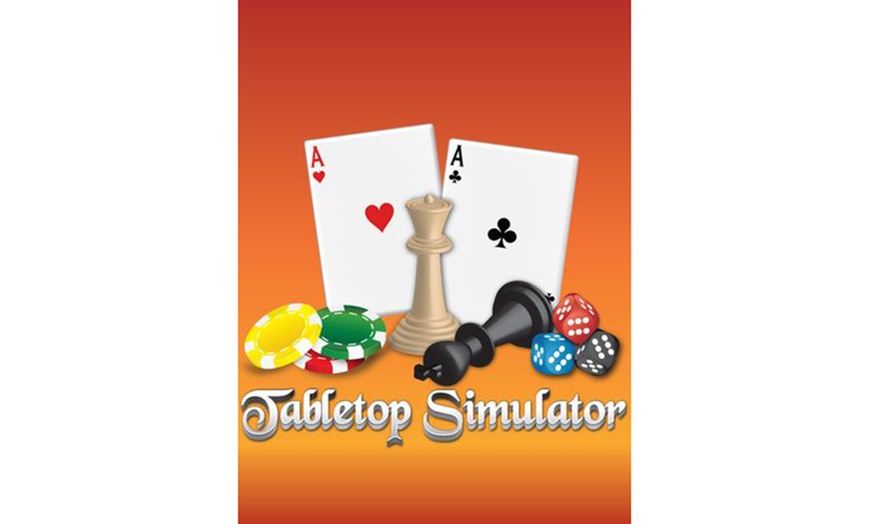
Tabletop Simulator (PC Steam Key) – Create, Play & Share Endless Board Games Online

Tabletop Simulator for PC (Steam)

Select Option
Sale ends in:1 day 05:10:27
  • Instant: Great for last-minute gifts. Simply print or send the voucher after purchase.
  • Customizable: Personalize the message and appearance to make your gift truly special.
  • Exchangeable: Hassle-free returns and exchanges for the giftees.

Highlights

Play thousands of community-made games or design your own in Tabletop Simulator—the ultimate sandbox for board gamers.

About This Deal

  • PC Steam KeyInstant digital delivery
  • Multiplayer SandboxUp to 10 players
  • ESRB Rated EEveryone

After Your Purchase: After purchasing this deal, you'll need to visit the merchant's website to complete redemption. Learn more here.

Tabletop Simulator – PC Steam Key

Discover endless possibilities with Tabletop Simulator, the ultimate online sandbox for board game fans, RPG players, and creative designers alike. Play over a thousand community-made games or build your own from scratch using custom boards, decks, and 3D models. Whether you’re hosting poker night, designing a D&D dungeon, or flipping the table just for fun, the only limit is your imagination.

Perfect for holiday gifting, family game nights, or friends who love experimenting with new ways to play online.

Tabletop Simulator Trailer

What We Offer

  • Tabletop Simulator – PC Steam Key
  • Official Steam activation and instant digital delivery
  • Developer & Publisher: Berserk Games
  • Release Date: June 5, 2015
  • ESRB Rating: E for Everyone – Simulated Gameplay, Mild Language

Key Features

Endless Games and Mods

Play 15 built-in classics like Chess, Poker, Mahjong, and Dominoes, or browse thousands of player-made creations via the Steam Workshop.

Create Your Own Games

Build custom boards, decks, and entire RPG worlds using 3D models, scripting tools, and creative freedom.

Multiplayer Mayhem

Up to 10 players can join the same virtual table for co-op adventures, competitive matches, or casual play.

RPG Ready

Build dungeons, set up animated miniatures, and use in-game tablets for digital character sheets.

Fully Interactive Sandbox

Pick up, rotate, shake, and throw objects with real-world physics—or flip the table if the game isn’t going your way!

System Requirements

  • Minimum OS

    Windows 7 S

Redemption Instructions

  1. Log In

    Log in to your Groupon account at https://www.groupon.com/mystuff

  2. Find Voucher

    Locate your voucher and find the Redemption Code under the barcode.

  3. Visit Portal

    Visit the redemption portal: https://mycodes24.com/contact-mycodes24/

  4. Submit Code

    Submit your Groupon Redemption Code and required information.

  5. Check Email

    Check your inbox (and spam folder) for your Steam game key, delivered via email within 24 hours.

Once You Receive Your Steam Key

  1. Download Steam

    Go to https://store.steampowered.com and download the Steam client.

  2. Log In

    Install and launch Steam, then log in or create an account.

  3. Activate Product

    Click Games → Activate a Product on Steam…

  4. Enter Key

    Follow the prompts and enter your key.

  5. Play Game

    Once activated, open your Library to download and play your game.

Need help? If you do not receive your key within 24 hours, please contact: [email protected]

Fine Print

Promotional value expires 120 days after purchase. Amount paid never expires. Online Redemption. Digital Delivery. All sales final. Not valid with other offers or promotions. All goods or services must be used by the same person. Merchant is solely responsible to purchasers for the care and quality of the advertised goods and services. Learn about Strike-Through Pricing and Savings

About Tabletop Simulator for PC (Steam)

Groupon Customer Reviews

100% Verified Reviews
All Groupon reviews are from people who have redeemed deals with this merchant. Review requests are sent by email to customers who purchased the deal.

Customer Photos

  • Photo submitted by Emily
  • Photo submitted by Guest
  • Photo submitted by Guest
  • Photo submitted by Tryvba
  • Photo submitted by Tryvba
    See All Photos