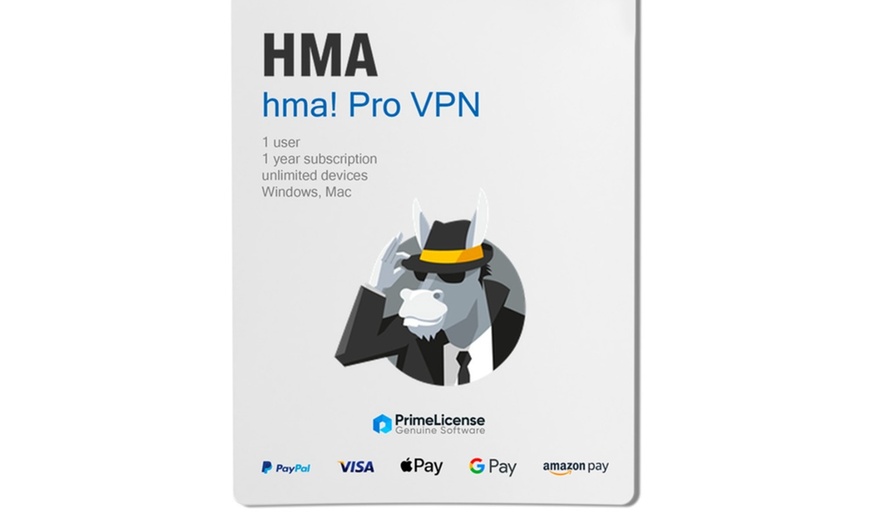
Highlights
Stream and browse with confidence — HMA VPN encrypts your connection and masks your IP to help keep your online activity private and secure anywhere.
Product Details
HMA VPN | Secure & Anonymous Browsing (Multi‑Platform)
Product Overview
- Surf the web anonymously and securely from anywhere with an encrypted VPN tunnel
- Protects your connection on Wi‑Fi hotspots and other networks by encrypting your internet traffic
- Connects you to remote servers to help hide your IP address and improve privacy
- Platforms: Windows, macOS, Android, iOS, Linux
- Coverage: 1090+ servers, 210+ countries, 290+ locations
Secure encrypted connection
Use the sections below to explore benefits, security features, and system requirements.
HMA VPN Benefits
Streaming
- Securely access streaming sites with servers optimized for streaming
- Use on Android TV, Apple TV, PlayStation, Netflix, and other services
- Global access across 190+ countries and 163 streaming-optimized servers (as provided)
Privacy
- Encrypts your internet connection to help protect your data from spies and hackers
- Helps hide your IP address by routing traffic through a remote VPN server
- Reduces visibility of your activity to ISPs and network operators (within VPN limitations)
Servers
- 1090+ VPN servers across 210+ countries and 290+ locations
- Choose locations to match your speed and access preferences
- Designed for broad global coverage and flexible routing
Security Features
- ✔ No Log Policy — Stay private from everyone
- ✔ OpenVPN protocol — Better speed and transparency
- ✔ Lightning Connect — Find the fastest server in one click
- ✔ Connection rules — Stay connected to HMA as you switch networks
- ✔ IP Shuffle — Randomize your IP address to avoid trackers
- ✔ Kill Switch — Blocks the internet if you lose your VPN connection
- ✔ Smart Kill Switch — Automatically launch HMA to protect your apps
- ✔ No Log DNS — No‑log DNS to avoid leaving a trail
- ✔ Leak Shield — Stop IPv4, IPv6, and DNS leaks when you browse
- ✔ Speed Test — Find the server with the best performance
System Specifications
Supported Platforms
- Android
- Linux
- macOS
- Windows
- iOS
- Android TV (7 or above)
Operating System Requirements
- Windows: Windows 7 SP1 or above, Windows 8, Windows 8.1, Windows 10, Windows 11
- macOS: macOS Sierra (10.12), High Sierra (10.13), Mojave (10.14), Catalina (10.15), Big Sur (11), Monterey (12)
- Android: Marshmallow (6), Nougat (7), Oreo (8), Pie (9), Android 10, 11, 12
- iOS: iOS 13, iOS 14, iOS 15
- Android TV: Android TV 7 or above
How to Redeem
IMPORTANT: Your Groupon voucher code is NOT your HMA activation key. You must complete the 2-step process below to receive your license:
STEP 1: Get your Groupon Redemption Code
- Log in to Groupon and go to My Groupons.
- Find your purchase and click "See Details".
- Locate and copy your Redemption Code (found under the barcode).
STEP 2: Claim your HMA License Key from PrimeLicense
- Visit the redemption page: groupon.primelicense.com
- Enter your Groupon Redemption Code, full name, and a valid email address.
- Click "Redeem Voucher".
- Your HMA License Key will appear on screen immediately and will also be sent via email.
- Check your Spam/Junk folder if you don't see the confirmation email.
STEP 3: Activate HMA VPN
- Download HMA from: hidemyass.com/installation-files
- Open the app, go to Settings > Account > Activation Code.
- Enter the HMA License Key received from PrimeLicense and confirm.
Important Notes:
- Each voucher code can only be redeemed once.
- Make sure your email address is correct — your license key will be sent there.
- Save your confirmation email for future reference.
Need help? Contact: [email protected]
Fine Print
- Online redemption required.